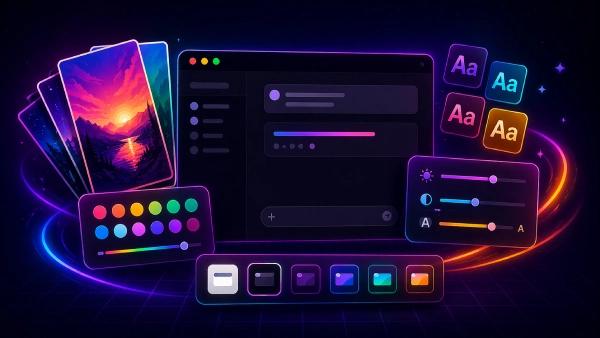


Customize ChatGPT: Themes, Backgrounds, Fonts & Productivity Tools
Make ChatGPT yours: 100+ themes, 200+ backgrounds & wallpapers, 100+ fonts. Export ChatGPT to PDF, Bulk Delete / Archive, Prompt History, and Message Navigator.
Start free • No signup • No credit card • Uninstall in two clicks
You can customize the ChatGPT interface in minutes, without coding.
If you want ChatGPT to feel more comfortable to use, you can change the look and layout with StylerGPT, a browser extension built for ChatGPT UI customization. It lets you apply clean ChatGPT themes and stack small “style blocks” to tweak the parts you actually notice every day.
What you can change
- Colors & contrast (readability)
- Fonts, size, and spacing (less eye strain)
- Layout and sidebar (fit your workflow)
The flow is simple: Install → open chatgpt.com → customize. Done.
* Demo previews are illustrative. Your ChatGPT UI may look slightly different.
Designed for style built for productivity Make ChatGPT feel personal and work-ready in minutes. Get a full customization suite plus a productivity toolbox. Right inside the ChatGPT interface.
Make ChatGPT feel personal and work-ready in minutes. Get a full customization suite plus a productivity toolbox. Right inside the ChatGPT interface.

ChatGPT themes
Choose from 100+ handcrafted themes (light & dark), set 200+ HD wallpapers (or upload your own), and switch between 100+ fonts with readable size controls.

Work faster inside ChatGPT
Export chats as clean PDFs, bulk delete / archive conversations, jump through long threads with a message navigator, and reuse prompts instantly with prompt history.

Private by design (runs locally)
StylerGPT runs locally in your browser without slowing down your browsing experience, is lightweight, and doesn't track you. Your chats and preferences stay on your device.
Themes, backgrounds, fonts & tools, at a glance
Customize ChatGPT in minutes. Then stay in flow with built-in tools.
Customize ChatGPT's look
- 100+ ChatGPT themes (light & dark)
- 200+ wallpapers & backgrounds (upload your own)
- 100+ fonts + readability controls (size, spacing)
- Color palettes + gradient backgrounds
- Widescreen / chat width controls
- Chat bubble styling (user & assistant)
- Brand Mask (replace ChatGPT branding)
Boost your workflow
- Export chats to PDF (clean formatting)
- Bulk Delete / Archive multiple conversations
- Message Navigator to jump through long threads
- Prompt History to reuse latest prompts faster
- Clipboard Loader for pasting large text smoothly
- Background Rotation (auto-refresh your workspace)
- YouTube Summarizer (save time on long videos)
How it works
Install StylerGPT from the official extension store, open chatgpt.com, and customize everything in under 2 minutes.
Install StylerGPT
Install StylerGPT from your browser's official extension store, then pin it to your toolbar in seconds. Get one-click access to StylerGPT sidebar on chatgpt.com.
Open StylerGPT
Open chatgpt.com and launch the StylerGPT side panel. Preview changes live as you switch themes, apply wallpapers/backgrounds, and fine-tune fonts and readability.
Themes & Tools
Pick from 100+ themes, 200+ wallpapers, and 100+ fonts. Then move faster with Export to PDF, Bulk Delete / Archive, Prompt History, and Message Navigator.
Start free • No signup • No credit card • Uninstall in two clicks
Loved by people who use ChatGPT every day
"I’ve been trying to figure out how to change the theme of the ChatGPT interface. This extension makes my work a lot more fun."
Leo Liu
Read full review"Does well what it promises. Changes the theme/color scheme and fonts as needed. Recommend it."
Amit Saxena
Read full review"Its honestly so simple and clean. Easy to use and makes the gpt’s convos more fun to use."
Arnt Evensen
Read full review"I found this extension on my very last search, and it meets all my needs. Or rather, it’s exactly what I needed."
Viktor Bartuszek
Read full review"I’ve been using StylerGPT for a few months, and it’s been a fantastic addition to my browser."
"I'm on a chromebook, and unfortunately, the font changed to Arimo, so I got this app to restore the previous font."
Erick Lopez
Read full review"I’ve been trying to figure out how to change the theme of the ChatGPT interface. This extension makes my work a lot more fun."
Leo Liu
Read full review"Does well what it promises. Changes the theme/color scheme and fonts as needed. Recommend it."
Amit Saxena
Read full review"Its honestly so simple and clean. Easy to use and makes the gpt’s convos more fun to use."
Arnt Evensen
Read full review"I found this extension on my very last search, and it meets all my needs. Or rather, it’s exactly what I needed."
Viktor Bartuszek
Read full review"I’ve been using StylerGPT for a few months, and it’s been a fantastic addition to my browser."
"I'm on a chromebook, and unfortunately, the font changed to Arimo, so I got this app to restore the previous font."
Erick Lopez
Read full review"ChatGPT has a purpose and serves it well, but the interface was never to my liking. You made it just as I wanted."
Abhilash Pillai
Read full review"As someone with ADHD im astonished at how cumbersome, drab and archaic some of the UI choices of the majority of websites."
Zoe Thomas
Read full review"Good change chatGPT theme give more feel to work if I can add personal pic so add more attractive."
Swanaya Gupta
Read full review"Amazing and super useful extension. ChatGPT has never been so beautiful 😍"
Lera Kuntsevich
Read full review"The themes and image selection are beautiful, and truly allows a personalized experience when using ChatGTP."
Kristopher Ryan
Read full review"Excellent application, to improve I recommend an option to change the background automatically every day."
Isaac Maffeis
Read full review"ChatGPT has a purpose and serves it well, but the interface was never to my liking. You made it just as I wanted."
Abhilash Pillai
Read full review"As someone with ADHD im astonished at how cumbersome, drab and archaic some of the UI choices of the majority of websites."
Zoe Thomas
Read full review"Good change chatGPT theme give more feel to work if I can add personal pic so add more attractive."
Swanaya Gupta
Read full review"Amazing and super useful extension. ChatGPT has never been so beautiful 😍"
Lera Kuntsevich
Read full review"The themes and image selection are beautiful, and truly allows a personalized experience when using ChatGTP."
Kristopher Ryan
Read full review"Excellent application, to improve I recommend an option to change the background automatically every day."
Isaac Maffeis
Read full review"I’ve been trying to figure out how to change the theme of the ChatGPT interface. This extension makes my work a lot more fun."
Leo Liu
Read full review"Does well what it promises. Changes the theme/color scheme and fonts as needed. Recommend it."
Amit Saxena
Read full review"Its honestly so simple and clean. Easy to use and makes the gpt’s convos more fun to use."
Arnt Evensen
Read full review"I found this extension on my very last search, and it meets all my needs. Or rather, it’s exactly what I needed."
Viktor Bartuszek
Read full review"I’ve been using StylerGPT for a few months, and it’s been a fantastic addition to my browser."
"I'm on a chromebook, and unfortunately, the font changed to Arimo, so I got this app to restore the previous font."
Erick Lopez
Read full review"ChatGPT has a purpose and serves it well, but the interface was never to my liking. You made it just as I wanted."
Abhilash Pillai
Read full review"As someone with ADHD im astonished at how cumbersome, drab and archaic some of the UI choices of the majority of websites."
Zoe Thomas
Read full review"Good change chatGPT theme give more feel to work if I can add personal pic so add more attractive."
Swanaya Gupta
Read full review"Amazing and super useful extension. ChatGPT has never been so beautiful 😍"
Lera Kuntsevich
Read full review"The themes and image selection are beautiful, and truly allows a personalized experience when using ChatGTP."
Kristopher Ryan
Read full review"Excellent application, to improve I recommend an option to change the background automatically every day."
Isaac Maffeis
Read full review"I’ve been trying to figure out how to change the theme of the ChatGPT interface. This extension makes my work a lot more fun."
Leo Liu
Read full review"Does well what it promises. Changes the theme/color scheme and fonts as needed. Recommend it."
Amit Saxena
Read full review"Its honestly so simple and clean. Easy to use and makes the gpt’s convos more fun to use."
Arnt Evensen
Read full review"I found this extension on my very last search, and it meets all my needs. Or rather, it’s exactly what I needed."
Viktor Bartuszek
Read full review"I’ve been using StylerGPT for a few months, and it’s been a fantastic addition to my browser."
"I'm on a chromebook, and unfortunately, the font changed to Arimo, so I got this app to restore the previous font."
Erick Lopez
Read full review"ChatGPT has a purpose and serves it well, but the interface was never to my liking. You made it just as I wanted."
Abhilash Pillai
Read full review"As someone with ADHD im astonished at how cumbersome, drab and archaic some of the UI choices of the majority of websites."
Zoe Thomas
Read full review"Good change chatGPT theme give more feel to work if I can add personal pic so add more attractive."
Swanaya Gupta
Read full review"Amazing and super useful extension. ChatGPT has never been so beautiful 😍"
Lera Kuntsevich
Read full review"The themes and image selection are beautiful, and truly allows a personalized experience when using ChatGTP."
Kristopher Ryan
Read full review"Excellent application, to improve I recommend an option to change the background automatically every day."
Isaac Maffeis
Read full reviewStart free • No signup • No credit card • Uninstall in two clicks
Choose your customization level
Free
- Theme colors (Included)
- Fonts & backgrounds (Not included)
- Advanced customization (Not included)
- Prebuilt themes (Not included)
- Toolbox (extra features) (Not included)
- Multiple devices (Not included)
Pro
- Theme colors (Included)
- Fonts & backgrounds (Included)
- Advanced customization (Included)
- Prebuilt themes (Not included)
- Toolbox (extra features) (Not included)
- Multiple devices (Not included)
Power
- Theme colors (Included)
- Fonts & backgrounds (Included)
- Advanced customization (Included)
- Prebuilt themes (100+) (Included)
- Toolbox (extra features) (Included)
- Multiple devices (3 devices) (Included)
Frequently Asked Questions
StylerGPT is a ChatGPT customization browser extension. It adds themes, wallpapers/backgrounds, fonts, and productivity tools like Export to PDF, Bulk Delete / Archive, Prompt History, and Message Navigator.
Yes. Start free, and try all features free for 14 days. No credit card required and no automatic charges after the trial.
If you spend hours in ChatGPT, the interface matters. StylerGPT makes ChatGPT easier on the eyes (themes, fonts, layout) and faster to use (Export to PDF, Bulk Delete / Archive, Prompt History, Message Navigator).
Styling runs locally in your browser. We use an anonymous identifier for trial/licensing. Only when you export to PDF, the conversation HTML is temporarily processed to generate the file, then deleted immediately.
StylerGPT works with a variety of browsers, including Chrome, Edge, Firefox, and Chromium-based browsers (like Opera, Brave, etc). It's built to function efficiently across these platforms without putting a strain on your system.
Install StylerGPT from the Chrome Web Store (or Edge Add-ons, or Firefox Add-ons, depending on your browser), pin it to your browser toolbar, and start customizing your ChatGPT interface.
Need more answers?
Explore the help center
Make ChatGPT yours,
look better, work faster
Themes, wallpapers, fonts, gradients, widescreen layout, and productivity tools. Packed into one lightweight extension.
Join 12,000+ users building their perfect ChatGPT workspace. Start free in seconds.